
Attendance, once a day, done properly.
Hajiri is the school attendance system. Attendance is taken once a day for each class, not once for every subject: everybody starts present, the teacher taps only the students who are absent, checks the summary, and submits. Students and parents see the routine and the record as it happens, the school office runs the timetable, people and the school year, and everything works the same in English or Nepali, on a phone or in a browser.
Four things worth knowing.
- 01
The window
Attendance can only be taken while the period is running, plus a few minutes after the bell if the school allows it. Once the window closes, the class is locked.
- 02
The school's clock, not yours
Hajiri uses the server's time in Nepal. Changing the time on a phone does not change what is allowed or how much time is left.
- 03
Substitutes
The office can give one class on one day to another teacher. That teacher sees only that class on that day, and once they submit it is locked.
- 04
Privacy
Students and parents can only see their own child. They see a day as present or absent, never other students or the whole class.
A real app, not a mockup.
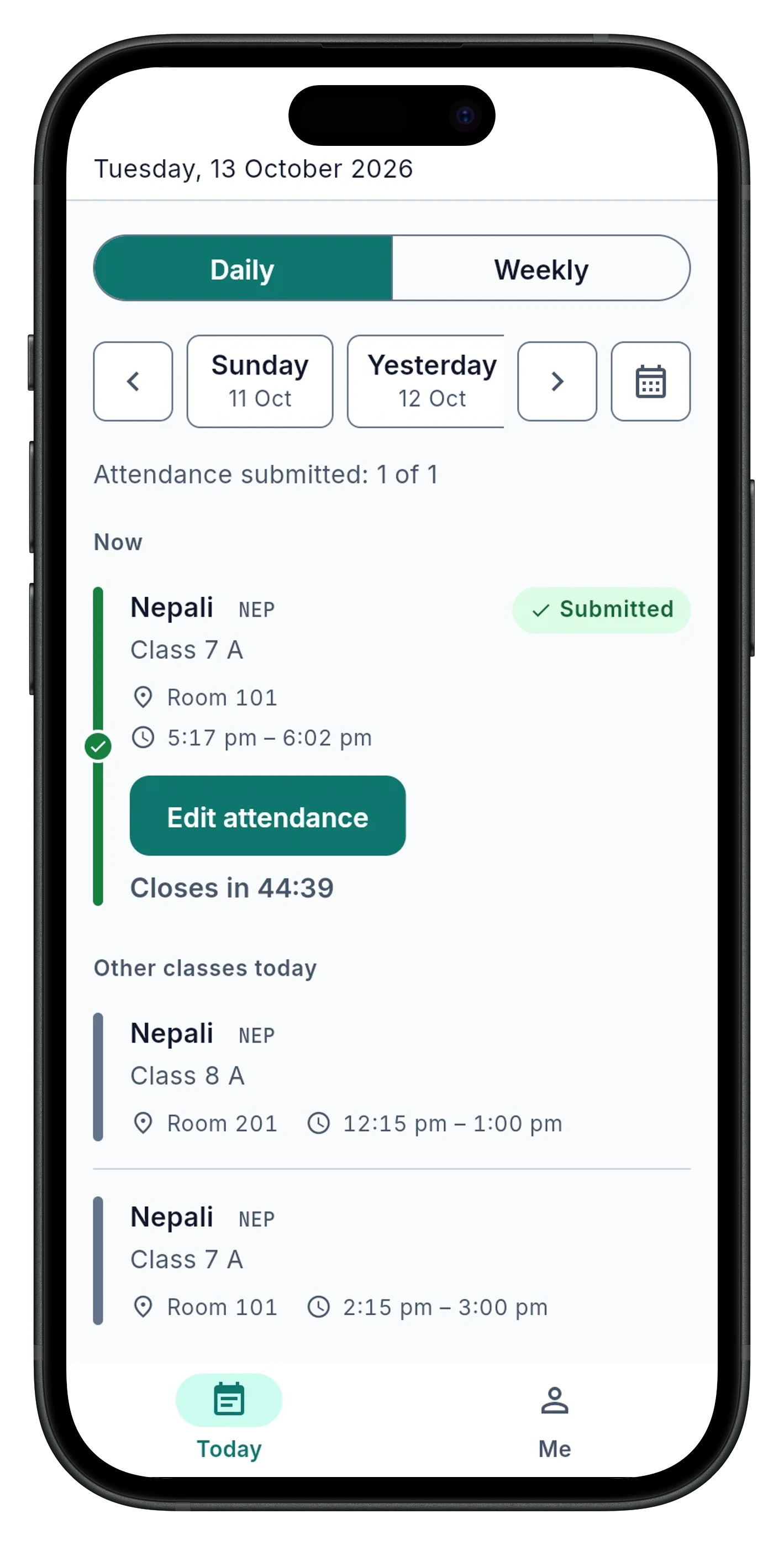
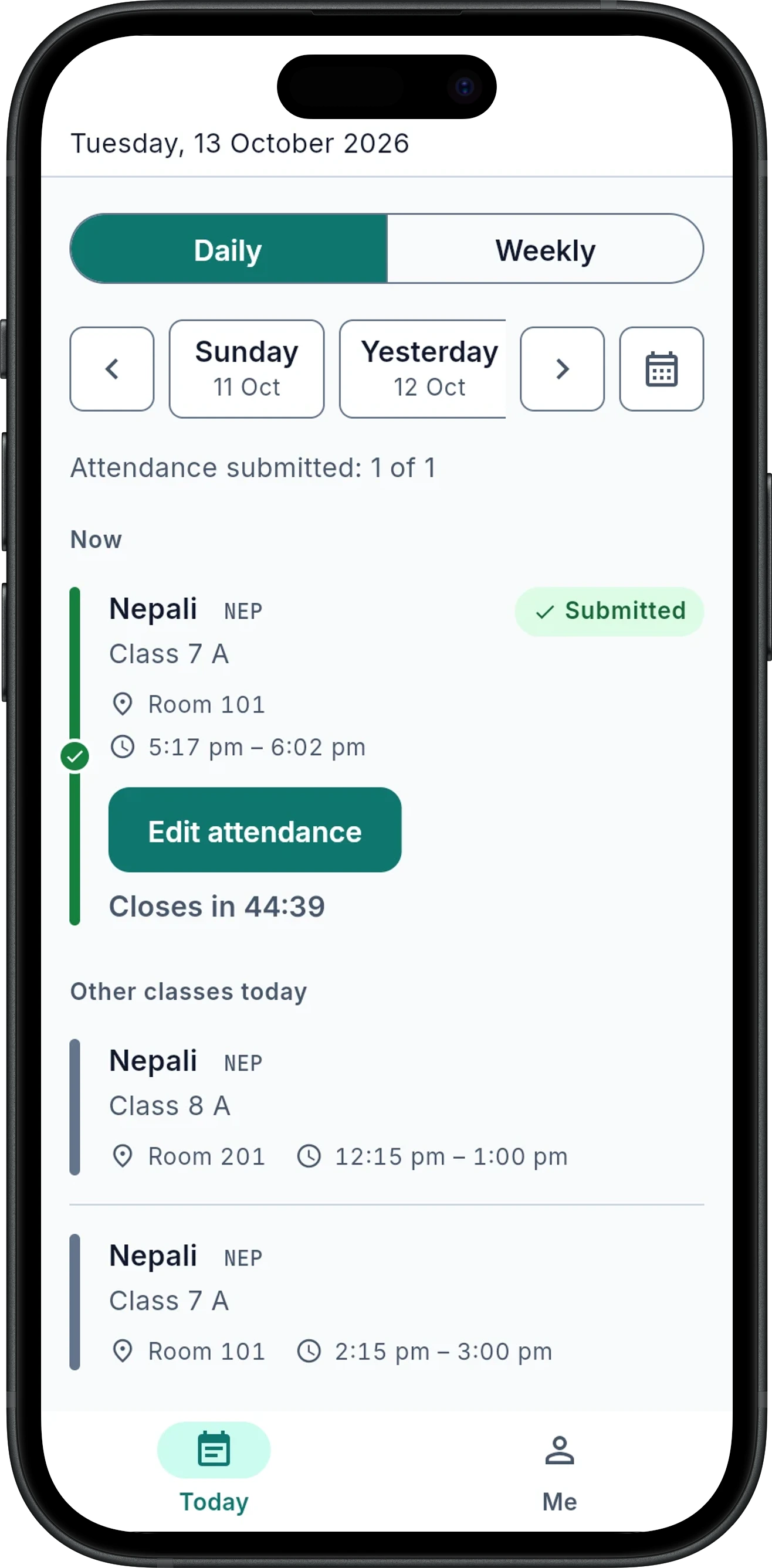
A teacher's Today: every class in order, with its status and a live countdown.
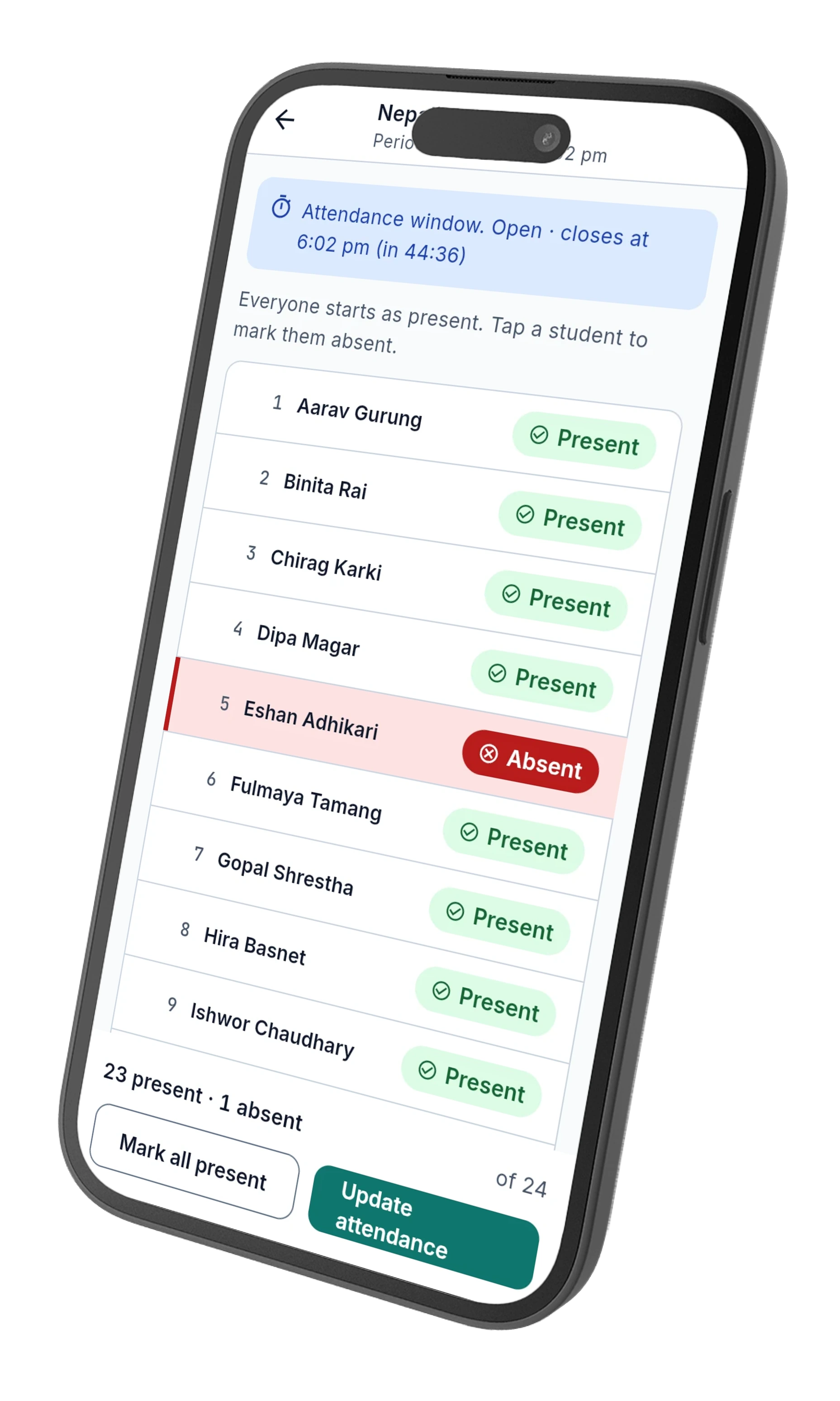
Taking attendance: everybody starts present, tap to mark who's absent.
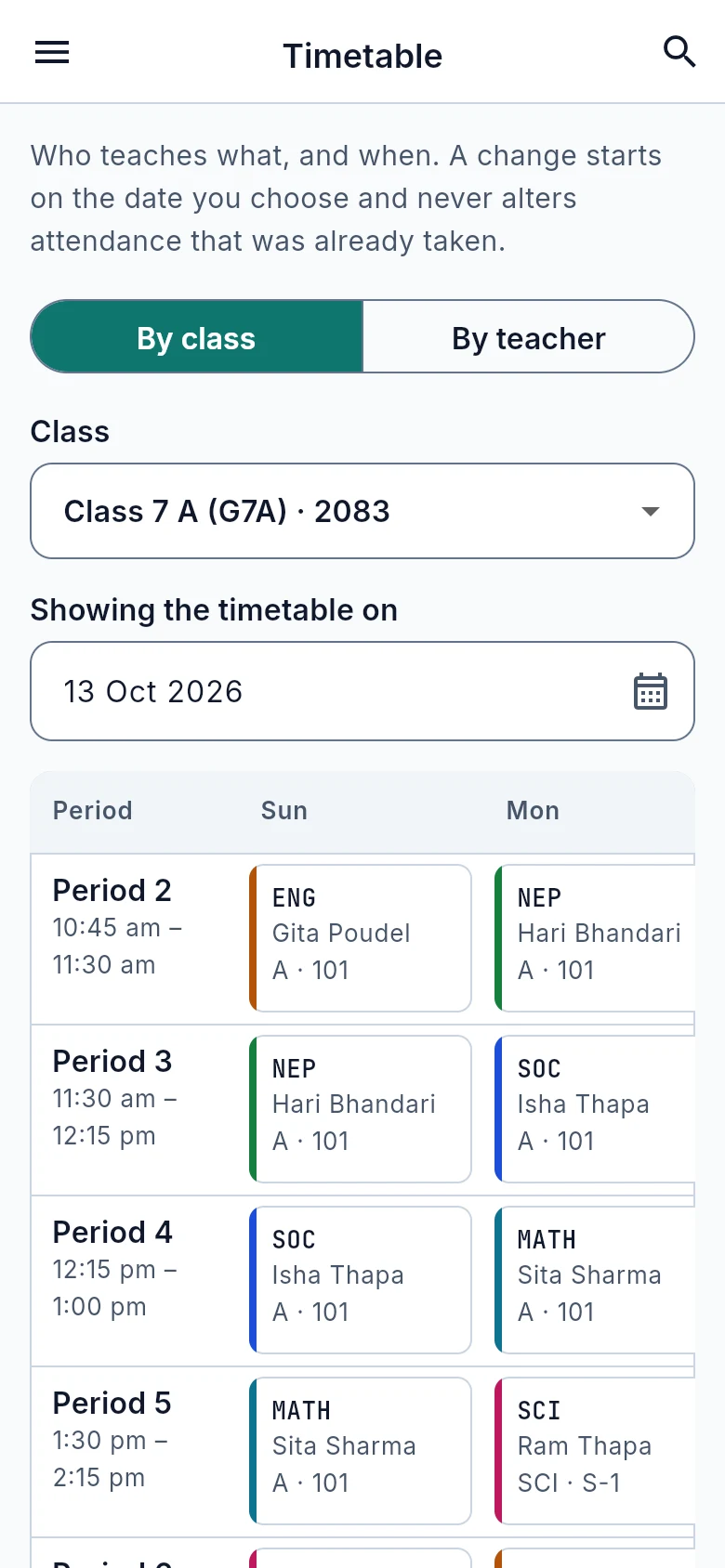
The timetable, by class or by teacher, with a clash check built in.
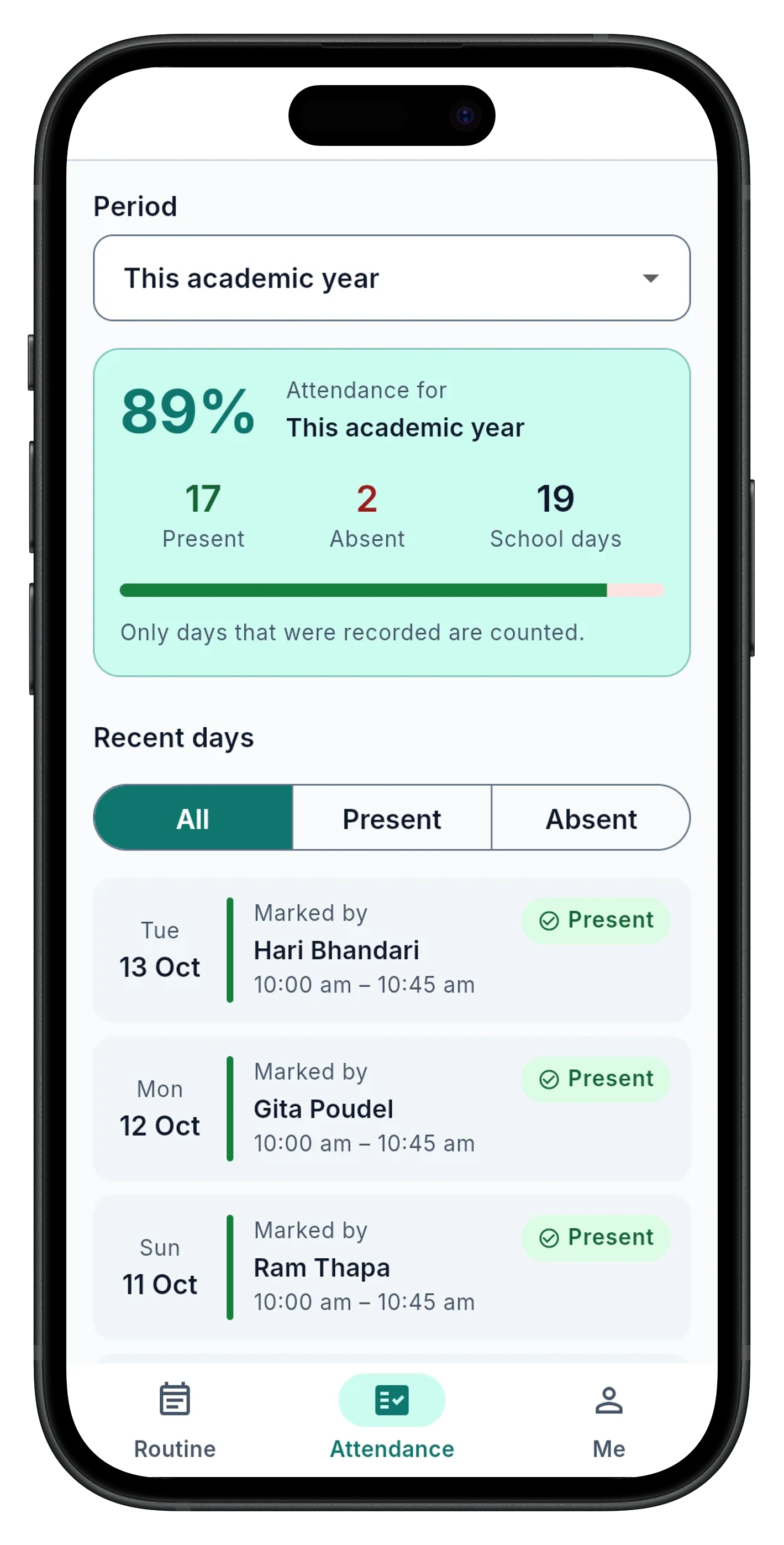
What a parent sees: the year's attendance, never another student's.
One system, built around who's looking.
Sees today's classes in order, with their status and a live countdown. Taps only the students who are absent, checks the totals, and submits, inside the period's own window.
A read-only view of the day's routine and the attendance record. A parent with more than one child at the school switches between them with a Child menu.
Runs the timetable, people, classes and the school year, with a clash-free timetable, substitutions, CSV import for a whole class, and a guided, five-step end of year.
Built for how a school actually runs.
- 01
Clash-free timetable
Hajiri refuses to save a lesson if the teacher or the class is already booked that period, and says exactly who and where.
- 02
Substitutions that lock
Give one class on one day to a cover teacher. They see only that class, and it locks the moment they submit.
- 03
Import a whole class
A CSV with an admission number and a name is enough. Students whose number already exists are skipped, never overwritten.
- 04
Holidays and settings
No classes, no expected attendance, nothing counted as missed. The attendance window, low-attendance line and school days are all adjustable.
- 05
A guided year-end
Review, export to Excel, promote students with exceptions, switch the current year, then archive. Hajiri won't let the old year be archived until an export exists.
Attendance opens with the period and locks when it ends, so a register can't be taken hours late or edited after the fact.
The office covers an absence for one class, one day, one teacher. It locks the moment they submit.
Parents and students see only their own child, as present or absent, never classmates or a class average.
A lesson can't be saved if the teacher or the class is already booked that period. Hajiri says exactly who and where.
A timetable or class change starts on a date you choose and never rewrites attendance that was already taken.
Five steps: review, export to Excel, promote students, switch the year, then archive. The export is checked before anything old can be removed.
Hajiri is one of the products we build and run ourselves, to the same standard as everything we build for clients: understand the problem first, design before we code, and build for the long run.